The following selection highlights Blu-ray players that offer robust app ecosystems and smart features, delivering streaming capabilities alongside traditional disc playback. Each option supports Full HD or 4K upscaling, HDMI connectivity, and internet-enabled apps to enhance daily viewing. Use the buying guide below to compare essentials such as streaming app availability, video quality, and compatibility with your home theater setup.
| Product | Brand | Key Benefit |
|---|---|---|
| Sony BDP-S1700U Blu-ray DVD Player | Sony | Full HD upscaling, included HDMI cable |
| Sony UBP-X700U 4K Blu-ray Player | Sony | 4K upscaling, HDR support, Dolby TrueHD/DTS |
| Sony BDP-BX370 Streaming Blu-ray Player | Sony | Built-in Wi‑Fi, screen mirroring |
| Samsung Blu-ray DVD Player With Built-in Wi-Fi | Samsung | Smart features, 1080p upconversion |
| Panasonic DMP-BD84P-K Blu-ray DVD Player | Panasonic | External storage support, multi-format playback |
Sony BDP-S1700U Blu-ray Disc Player

Sony BDP-S1700U supports Blu-ray Discs in Full HD, plus DVD upscaling to near-HD quality. The included HDMI cable simplifies setup, and the player’s straightforward interface is designed for easy access to streaming apps and media playback. This model emphasizes dependable playback and simple connectivity, ideal for mixed shelf setups with existing TVs and sound systems.
Sony UBP-X700U 4K Ultra HD Blu-ray Player

The UBP-X700U delivers 4K Ultra HD Blu-ray playback with upscaling up to 60p and HDR10. It supports a wide range of disc and file formats, with robust Hi-Res audio options and Dolby Digital TrueHD/DTS. This model targets enthusiasts seeking premium picture and sound, along with reliable streaming capabilities via apps and a familiar Sony interface.
Sony BDP-BX370 Streaming Blu-ray Player

With built-in Wi‑Fi, the BX370 adds streaming apps and screen mirroring for mobile devices, alongside Blu-ray and DVD playback with upscaling. It offers a compact footprint and easy setup, making it a practical choice for second rooms or apartments where streaming access complements physical media.
Samsung Blu-ray Disk Player With Built-in Wi-Fi
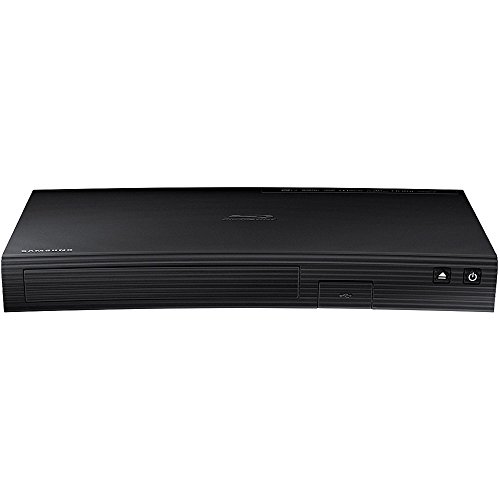
This Samsung model integrates built-in Wi‑Fi for streaming apps and services, with 1080p full HD playback and upconversion for DVDs. The device is designed to deliver reliable app performance, easy navigation, and compatibility with other Samsung devices for a connected home theater experience.
Dynastar Region Free Blu-ray Player

Dynastar’s region-free player supports Blu-ray regions A, B, and C, plus region-free DVDs. It features Blu-ray playback with 1080p upscaling and HDR-capable output. This option is suitable for households with diverse disc collections and international media, offering broad compatibility alongside modern HDMI connectivity.
Buying Guide: Key Considerations For Selecting A Blu-ray Player With Apps
When choosing a Blu-ray player that also supports apps, consider these factors to align with your viewing habits and home theater setup:
- App Ecosystem: Look for players with a broad, regularly updated app lineup (streaming services, music apps, and screen mirroring). Samsung and Sony models typically offer robust app environments and frequent firmware updates.
- Video And Audio Quality: For 4K setups, prioritize players with 4K Ultra HD Blu-ray support, HDR formats (HDR10, Dolby Vision), and high-resolution audio (Dolby TrueHD, DTS-HD Master Audio).
- Connectivity: Ensure ample connections (HDMI output, USB, Ethernet, and optional Wi‑Fi). Some players support HDMI-CEC for easier integration with TVs and soundbars.
- Upscaling Capabilities: If your library includes many DVDs, choose a player with strong upscaling to near-HD or 4K, depending on your TV’s capabilities.
- Smart Home Compatibility: If you use voice assistants or ecosystem-specific devices, verify compatibility with apps that support casting, screen mirroring, or remote control via mobile apps.
- Storage And Media Formats: In addition to discs, check support for external storage and common file formats (MKV, MP4, MP3, FLAC, etc.) for playback from USB or network shares.
- First-Party Support And Reliability: Brand ecosystems (Sony, Samsung) often deliver more reliable app performance and ongoing firmware support.
- Physical Design And Footprint: Consider the unit’s size, mounting options, and whether you need a compact player for tight spaces.
- Future-Proofing: While not all features are essential today, opting for 4K, HDR, and a wide app catalog helps extend the device’s relevance as streaming evolves.
In practice, a Sony or Samsung model with built-in Wi‑Fi and a strong app suite provides a balanced mix of physical media playback and streaming capabilities. If you have varied disc collections and region-diverse media, a region-free option offers added flexibility. For smaller spaces, a compact player with straightforward setup can be equally effective, especially when paired with a HDMI-enabled TV or projector.