The best Windows 11 tablet depends on how you plan to use it. The Fusion5 Helios 12 is best for a larger display and included stylus, while the rugged Fusion5 FWIN232 PRO N5 is aimed at demanding work environments. For a compact everyday device, consider the 10.1-inch XINHENGTAI or HONGSAMDE; the renewed Microsoft Surface Go offers a higher-resolution screen and SSD storage in a small format.
| Tablet | Best For | Standout Details |
|---|---|---|
| Fusion5 Helios 12 | Drawing and larger-screen work | 12-inch 2K display, stylus, 512GB SSD |
| Fusion5 FWIN232 PRO N5 | Rugged work settings | Rugged construction, accidental-damage coverage listed |
| Microsoft Surface Go | Compact office use | 10-inch 1800 x 1200 display, 128GB SSD |
| XINHENGTAI 10.1-inch | School and travel | 6GB RAM, 128GB storage, HDMI output |
| HONGSAMDE 10.1-inch 2-in-1 | Portable basic computing | Convertible laptop and tablet design |
Fusion5 Helios 12 Windows 11 Tablet
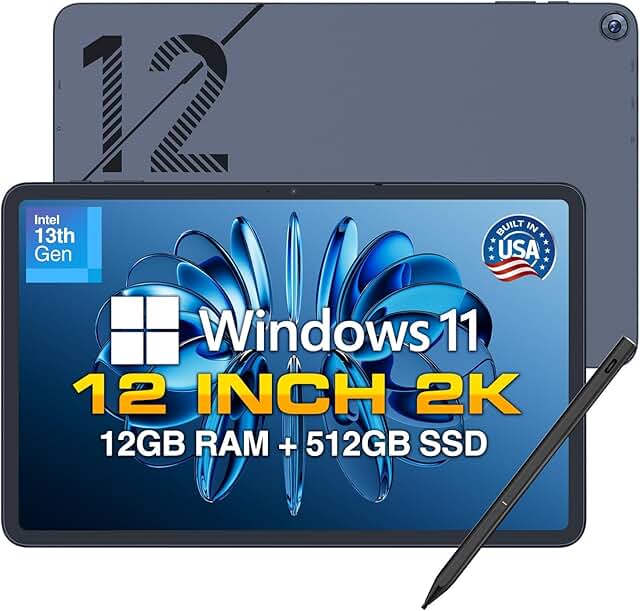
Best for: Buyers who want more screen space for creative tasks, document work, or entertainment. This model pairs a 12-inch 2000 x 1200 touchscreen with a 16:10 aspect ratio, offering more room than the 10.1-inch tablets in this list.
The listed configuration includes 12GB of DDR5 RAM, a 512GB SSD, a 13th-generation CPU, a built-in fan, and fast charging. A Fusion5 stylus is included for annotating documents, sketching, and other pen-based tasks. The product listing also states that the tablet is assembled in Florida.
Why it was selected: It combines the largest display in this selection with the highest listed storage capacity and an included stylus. Choose it if screen size and pen input matter more than having the smallest device.
Limitation: Its 12-inch screen makes it less compact than the 10.1-inch options. The listed features do not specify a keyboard.
Fusion5 FWIN232 PRO N5 Rugged Tablet

Best for: Workplaces where a tablet may face dust, bumps, or drops. The listing describes this Windows 11 Pro model as rugged, shockproof, and dustproof, with intended use in industrial settings, outdoors, and classrooms.
The product name lists a 13th-generation Intel processor, 12GB of RAM, 256GB SSD storage, HDMI, and USB-C. The listing also describes assembly in Florida and a two-year warranty that includes coverage for up to two accidental-damage incidents; check the product terms for the coverage details and registration requirements.
Why it was selected: Its rugged design and stated accidental-damage coverage distinguish it from the more travel- and home-focused tablets here. Choose it if durability is a leading concern.
Limitation: The provided feature details do not identify a specific drop height or dust-resistance rating, so compare the full listing with your workplace requirements.
Microsoft Surface Go Renewed Tablet

Best for: Buyers who want a small Windows tablet with a sharper display and SSD storage. The 10-inch PixelSense touchscreen has a 1800 x 1200 resolution and a 3:2 aspect ratio, which provides more vertical screen space for reading and browsing than a wider display.
This renewed model is listed with Windows 11 Pro, an Intel Pentium 4415Y processor, 8GB of LPDDR3 memory, and a 128GB NVMe SSD. The product description positions its processor for office software, multitasking in a browser, and light creative tasks.
Why it was selected: It offers a higher stated screen resolution than the other compact tablets in this roundup and uses SSD storage. Choose it if portability and display detail are priorities.
Limitation: It is sold as renewed, and the listed processor is an older dual-core model. Review the current listing’s renewal condition information before buying.
XINHENGTAI 10.1-Inch Windows 11 Tablet
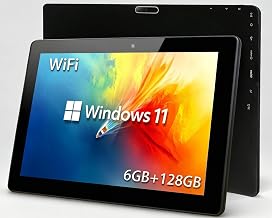
Best for: Students and travelers seeking a compact tablet for everyday tasks. Its listed configuration includes an Intel Celeron quad-core processor, 6GB RAM, and 128GB of built-in storage. The description identifies schoolwork, office software, browsing, online courses, and light video editing as use cases.
The 10.1-inch touchscreen has a 1280 x 800 resolution. Other listed features include HDMI output, OTG support, dual-band 2.4GHz and 5GHz Wi-Fi, Bluetooth 4.2, and support for TF card expansion up to 512GB. The battery is listed at 6000mAh, with up to 12 hours of standby and video playback claimed in the product description.
Why it was selected: Its HDMI output and expandable storage give it useful connection and file-storage options in a small form factor.
Limitation: The screen resolution is lower than the Surface Go and Fusion5 Helios 12. The stated battery duration is a product claim and can vary with use.
HONGSAMDE 10.1-Inch 2-In-1 Tablet

Best for: Buyers who want a portable device that can switch between tablet and laptop modes. The listing describes a 10.1-inch convertible design intended for productivity and entertainment, with a compact form that can fit in a bag or backpack.
The product name lists 8GB of RAM, 128GB of SSD storage, a touchscreen, and a Windows 11 operating system. Its 2-in-1 format may suit people who want a tablet-sized device for travel and occasional keyboard-style work.
Why it was selected: The convertible design offers a different form factor from the standard tablets in this roundup. Choose it if switching between tablet and laptop modes is important.
Limitation: The supplied feature details do not specify the processor, screen resolution, included keyboard, or battery capacity. Confirm those details in the listing before choosing it for demanding work.
Buying Guide: How To Choose A Windows 11 Tablet
What screen size fits your routine?
A 10-inch tablet is easier to carry and can suit browsing, reading, and basic school tasks. A 12-inch model provides more screen area for documents, drawing, and split-screen work, but takes up more space. Compare resolution as well as size: the Surface Go and Fusion5 Helios 12 list higher resolutions than the XINHENGTAI model.
How much memory and storage do you need?
RAM affects how comfortably a device handles multiple open apps, while storage holds software and files. The products here list between 6GB and 12GB of RAM and between 128GB and 512GB of storage. Consider an SSD if file access and system responsiveness matter; check whether storage expansion is offered if you plan to keep many files locally.
Do you need a rugged design or pen input?
Choose the rugged Fusion5 if dust and impacts are central concerns, but verify the exact protection specifications for your work. The Fusion5 Helios 12 is the clearest choice for pen-based tasks because its listing includes a stylus. Do not assume a pen or keyboard is included unless the product listing says so.
Which connections and software details should you check?
Confirm the Windows edition, ports, wireless features, and accessories you need. The XINHENGTAI lists HDMI output, OTG, dual-band Wi-Fi, and Bluetooth. The rugged Fusion5 product name lists HDMI and USB-C. Check the full listing for port details and confirm that your required Windows apps will run on the selected processor.
Frequently Asked Questions
Can a Windows 11 tablet run desktop apps?
Windows tablets can run Windows applications, but app performance depends on the tablet’s processor, memory, and the software’s requirements. Check those requirements before buying.
Is a 10-inch Windows tablet large enough for school?
A 10-inch model can work for reading, browsing, and basic assignments. A larger screen may be more comfortable for lengthy documents or multitasking.
Does every Windows tablet include a keyboard?
No. The listed features do not confirm an included keyboard for every model. Check the product details and accessory list before purchase.
Is SSD storage better than flash storage?
SSD storage can offer responsive file access, and several products list SSDs. Storage type alone does not determine overall performance; the processor and RAM also matter.
Should I buy a renewed tablet?
A renewed tablet may suit buyers who are comfortable with a previously owned or refurbished device. Review its condition information and the applicable return and support terms before ordering.