When you need reliable optical drive performance for writing and reading DVDs and CDs, a super multi DVD writer is a practical choice. This guide highlights five solid options that balance portability, speed, and compatibility—covering external compact models and internal drives that support M-DISC for long-term data preservation. Each product section includes key specs and a direct link to the Amazon listing for convenient comparison and purchase decisions.
| Product | Brand | Connection | Form Factor | Best For |
|---|---|---|---|---|
| LG GP65NB60 8X USB 2.0 Super Multi Ultra Slim Portable DVD Writer | LG | USB 2.0 (USB 3.0 Compatible) | Ultra-slim external | Ultra-portable writing with M-DISC support |
| LG GP60NB50 USB 3.0 Ultra Slim Portable DVD+/-RW External Drive | LG | USB 2.0 (USB 3.0 compatible) | Ultra-slim external | Compact, versatile reading/writing |
| ASUS ZenDrive V1M External DVD Drive with USB-C | ASUS | USB-C | External | Modern USB-C laptop compatibility with M-DISC |
| Piodata S21 Internal Super Multi Drive | Piodata | SATA (internal) | Internal | Flexible internal build with 24x DVD support |
| Amicool External DVD Drive USB 3.0 / USB-C | Amicool | USB 3.0 / USB-C | External | Plug-and-play with multiple disc formats |
Note: Availability and exact specifications may vary by retailer. This article focuses on models that consistently support common DVD and CD formats and offer reasonable performance for everyday tasks.
LG GP65NB60 8X USB 2.0 Super Multi Ultra Slim Portable Drive
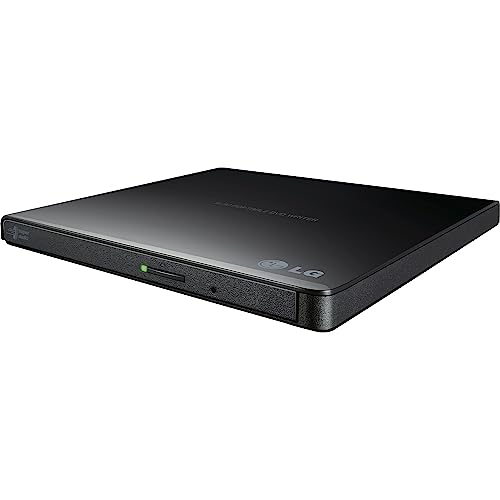
LG’s GP65NB60 delivers compact, portable DVD writing with an 8x DVDR write speed and USB 2.0 connectivity. Its ultra-slim profile makes it easy to carry with laptops, and it remains compatible with USB 3.0 hosts. The drive’s Mac, Windows, and Linux compatibility broadens its appeal for mixed-OS environments, while M-DISC support helps archive important data.
LG Electronics GP60NB50 USB 3.0 Ultra Slim Portable Drive

This drive emphasizes USB 3.0 compatibility and a slim design for mobile setups. With a dedicated external rewriter function and modest buffer memory, it provides dependable performance for daily data burning and reading tasks on Windows, macOS, and Linux systems, while still supporting M-DISC for durable archival storage.
Digital LG HLDS Internal Sata 24x Super Multi with M-DISC
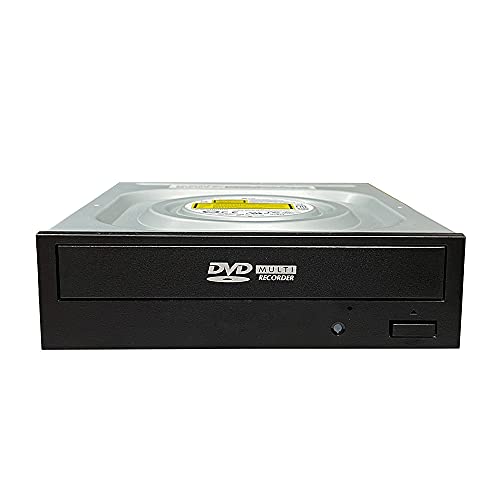
Vinpower Digital distributes an authentic LG internal drive, optimized for duplication tasks and longer disc lifespan. It offers 24x DVD write speeds and robust read capabilities, along with M-DISC support for durable data preservation. This model is suitable for builds requiring a high-performance internal writer with professional-grade reliability.
Amicool External DVD Drive with USB 3.0 and Type-C

Amicool’s external drive features dual interfaces (USB 3.0 and Type-C) and supports DVD±R/RW, CD-R/RW, and more. It offers plug-and-play setup, strong compatibility with Windows, macOS, and Linux, and a max read speed around 8x for DVDs. It’s positioned as a flexible option for users who prioritize direct USB-C compatibility and broad OS support.
Buying Guide
- Connection type and compatibility: External drives offer portability. USB-C is forward-looking for newer laptops, while USB 2.0/3.0 covers legacy systems. Internal drives require a compatible SATA interface and case or desktop build.
- Write speed and media support: Look for drives that support 8x or higher on DVDR, and verify CD-RW and DVD-RW compatibility. If long-term data preservation matters, prioritize drives with M-DISC support.
- Form factor considerations: Ultra-slim externals are ideal for travel and small workspaces. Full-size externals may house larger buffers and additional features. Internal drives suit desktop builds and media libraries.
- Durability and reliability: For archival use, choose brands with a history of consistent write quality and stable read capabilities, especially on slightly scratched discs.
- Software and driver needs: Most modern drives are plug-and-play, but some models may require minimal driver updates or system configurations, especially on Linux or older Windows versions.
- Total cost of ownership: Consider not only the drive price but also reliability, the availability of replacement parts, and the expected lifespan of the drive in your setup.
- Use-case alignment: If you frequently swap discs between devices, opt for portable externals; if you build a dedicated multimedia station, internal drives may be the most efficient choice.