Choosing a secure file transfer solution means weighing speed, reliability, and strong data handling. From enterprise-grade PC migration tools to secure USB and hardware adapters, this guide highlights five trusted options that help move data safely and efficiently. Below you’ll find concise product highlights, key features, and practical considerations for selecting the right tool or accessory for personal, small business, or IT environments.
Summary of Selected Products
| Product | Brand | Format | Main Benefit |
|---|---|---|---|
| Laplink PCmover Ultimate 11 | LAPLINK | Migration Software | AI-assisted, two licenses, Secure data wipe |
| Laplink PCmover | LAPLINK | Migration Software | Business deployment with AI guidance |
| Laplink PCmover (5 Licenses) | LAPLINK | Migration Software | Scaled licenses for multiple PCs |
| DORHEA USB 3.0 Panel Mount Coupler | DORHEA | USB 3.0 Adapter | Extend and connect USB securely and flexibly |
| Kingwin Trayless Aluminum Mobile Rack | Kingwin | Hardware Rack | Secure, high-speed drive transfer and organization |
Laplink PCmover Ultimate 11: Secure System Migration

PCmover Ultimate 11 provides a comprehensive migration path from an old PC to a new one, focusing on secure and efficient data transfer. The package includes two licenses and tools like SafeErase for securely wiping old data, reducing exposure from residual files. Wi-Fi Direct support helps establish faster connections, and AI-assisted transfer insights guide users to select the most relevant items for migration. The solution aims to minimize downtime while maintaining data integrity during the move.
Key features include AI-assisted transfer insights, which generate a clear summary of transferable items and allow for interactive adjustments. The product emphasizes maximum performance with optimized transfer methods and faster connection options, helping organizations complete migrations quickly without compromising security or accuracy. Licenses are designed to cover one source-to-destination transfer per license, with straightforward documentation for setup and usage.
Security and reliability considerations: SafeErase integration helps ensure old data is securely wiped, reducing risk of data remnants. The combination of AI guidance and reliable transfer paths aims to minimize human error during migrations while maintaining auditability of what moved and what stayed behind. Users should assess network capabilities and backup strategies to complement the migration workflow.
Laplink PCmover Business: Easy Migration for Teams

Laplink PCmover Business targets organizations needing reliable, scalable migration with AI-assisted guidance and clear transfer summaries. This edition focuses on a smooth, user-friendly process for teams migrating multiple machines. The solution offers flexible licensing to fit different deployment scales, including standard tiers for 1, 5, 10, or 25 transfers. AI-generated summaries help IT staff understand transferable items and plan migrations with minimal disruption.
Operational considerations: The Business edition emphasizes a controlled migration flow, helping IT departments schedule and track moves. The availability of a dedicated license structure supports budgeting and license management, while the AI assistant aims to reduce user questions and ensure accurate item mapping. Enterprises should align PCmover with backup and security policies to maintain compliance and data governance during consolidations.
Laplink PCmover Business: 5 Licenses for Scaled Migrations
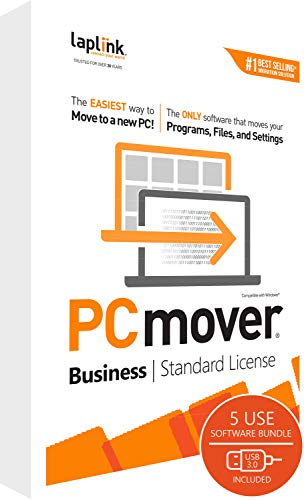
This edition supports migrations across multiple PCs, with five licenses designed for growing teams or small offices. It repeats the AI-assisted guidance and transfer summaries, helping IT staff gauge transferable items and manage transfer scopes. The license model notes that each license covers a single source-to-destination transfer, making it essential to plan licenses according to the number of target machines and migration scenarios.
Security and governance considerations: The five-license framework supports controlled, auditable migrations across devices. IT teams should complement PCmover with endpoint protection and secure network configurations to keep transfer sessions safeguarded. The AI-assisted approach can streamline operations, but administrators should review transfer results to verify that sensitive items are properly handled and that data classification policies are respected.
DORHEA USB 3.0 Panel Mount Coupler

The DORHEA USB 3.0 panel mount coupler is a practical accessory for expanding data transfer capabilities in secure environments. It allows you to extend USB connections by joining cables through a panel-mount design, enabling flexible setups for data backups, secure transfers, or streaming media from USB devices. The device supports high-speed USB 3.0 data synchronization, enhancing transfer efficiency in environments that require frequent data moves or device-to-device transfers.
Security considerations: Panel-mount connectors can help organize secure transfer stations, reducing cable clutter that can create accidental disconnections. The durable build and dust/water resistance considerations are important in industrial or on-site settings where devices may be exposed to harsher conditions. Practitioners should ensure proper cable management and verify that attached devices comply with data handling policies to minimize exposure during transfers.
Kingwin Trayless Aluminum Mobile Rack: Secure Drive Transfer

The Kingwin trayless aluminum mobile rack supports 2 x 2.5″ SATA or SAS drives with a tool-free design and built-in keylock for added security. Data transfer speeds can reach up to 12Gbps, making it suitable for quick hardware-based migrations or backups in a secure environment. The aluminum construction aids heat dissipation, helping maintain hardware reliability during extended transfer sessions and large data moves.
Security and workflow considerations: Hardware-based data transfer routes like this rack can provide an air-gapped or semi-isolated path for critical data movements. The keylock adds physical security, deterring tampering during transfers. Operators should ensure firmware and controller compatibility with existing systems and implement proper access controls to prevent unauthorized drive removal or connection during migration tasks.
Buying Guide: Secure File Transfer Choices
When evaluating secure file transfer solutions and related accessories, consider these core factors:
- Purpose and scope: Are you migrating a single PC, multiple devices, or an entire office environment? Choose licenses and tools that scale to your needs.
- Security and compliance: Look for data erasure options (like SafeErase), encryption, and audit trails. Ensure that tools align with data governance policies (HIPAA, GDPR, etc.).
- Speed and reliability: Assess transfer speeds, network requirements, and support for Wi-Fi Direct or USB 3.0 to minimize downtime.
- Licensing and deployment model: Evaluate whether licenses cover required transfer paths and destinations. For teams, consider multi-license packages that fit your IT workflow.
- Hardware considerations: For hardware racks and adapters, ensure compatibility with existing drives and devices and verify driver support and heat management capabilities.
- User experience: AI-assisted guidance and transfer summaries can reduce errors and speed up migrations, especially for non-technical users.
Comparative perspectives include software-first migration tools versus hardware-assisted transfer options. Software tools excel in migrating settings, applications, and user data with structured summaries and secure wiping, while hardware enablers like USB couplers and drive racks provide physical transfer pathways with enhanced security controls and straightforward implementation. Organizations may benefit from combining both approaches for layered protection and redundancy during data moves.
Practical recommendations: For personal or small-business migrations, PCmover’s AI-guided approach can simplify complex transfers while preserving data integrity. In environments requiring frequent or large-scale migrations, scalable licensing and centralized administration become important. Hardware accessories like secure USB interfaces and trayless racks can complement software tools by enabling fast, secure, and organized data movement, especially where multiple devices or heavy storage hardware are involved.
Buying Guide: Key Purchase Considerations
Selecting the right secure file transfer setup involves balancing practicality and security. Here are considerations to guide your decision:
- Data sensitivity: For highly confidential information, prioritize tools with robust erasure, encryption, and access controls.
- Migration complexity: Analyze whether your scenario involves user profiles, apps, and settings, or only raw data. Choose tools that map to the required data types.
- Operational efficiency: AI-assisted transfer summaries and guided workflows can reduce manual intervention and errors during migrations.
- Licensing strategy: Align licenses with your number of destinations and future growth to avoid licensing bottlenecks.
- Hardware resilience and security: When using hardware racks or USB adapters, verify build quality, heat management, and physical security features like locks or tamper resistance.
- Compatibility and support: Ensure software, drivers, and hardware are compatible with your operating systems and devices, and look for vendor support and updates.
In sum, a secure file transfer strategy often benefits from a layered approach: software that orchestrates migration with safety nets and hardware that provides robust, physical transfer pathways. By combining AI-guided migration tools with secure hardware accessories, users can achieve fast, accurate, and auditable data moves while maintaining strong security controls across environments.