The best point-to-point WiFi antenna depends on distance, required throughput, and how much network management you need. The Tenda bridge is a strong match for longer links, while the TP-Link Omada kit suits users who want cloud management and higher stated wireless speed. For a simpler 3-kilometer link, consider AdaLov or UeeVii; the TP-Link CPE210 is a 2.4GHz option for paired long-range deployments.
| Product | Best For | Key Listed Detail |
|---|---|---|
| Tenda 5KM+ Bridge | Longer outdoor links | Up to 5 km; 867 Mbps wireless rate |
| TP-Link Omada EAP211-Bridge KIT | Cloud-managed networks | Pre-configured pair; up to 867 Mbps at 5 GHz |
| AdaLov CPE660 | Building links with flexible PoE | Up to 3 km; two Ethernet ports |
| UeeVii CPE450 | Simple pre-paired installation | Up to 300 Mbps bridge transmission |
| TP-Link CPE210 | 2.4GHz paired links | 9dBi directional antenna; optimized for over 5 km |
Tenda 5KM+ Outdoor Wireless Bridge

Best for: Farms, barns, garages, or other sites that need a longer point-to-point link. Tenda lists transmission distances up to 5 km, a 12dBi directional antenna, and a maximum wireless rate of 867 Mbps using 11AC technology.
The two-pack is described as plug-and-play and includes four Ethernet ports across the equipment, with DC or PoE power options. Tenda’s TD-MAX protocol is designed to improve performance and capacity in point-to-point and point-to-multipoint outdoor scenarios. These details make it a useful choice when range and a higher stated wireless rate matter.
Limitation: The stated 5 km range is a maximum, not a guarantee for every site. A clear, properly aligned path is important for long-distance outdoor links.
TP-Link Omada EAP211-Bridge KIT
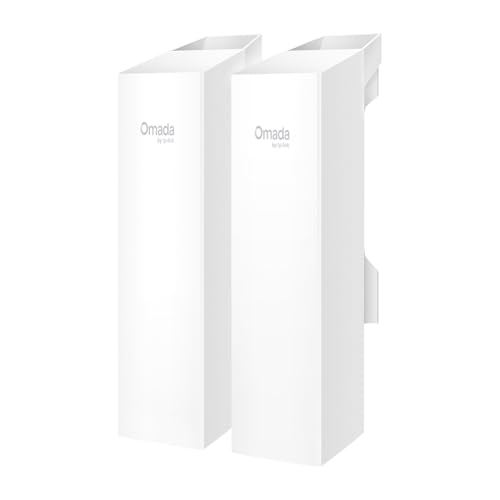
Best for: Buyers who want a pre-configured bridge pair and centralized network management. The kit is described as auto-pairing, with LED indicators intended to help with setup. It can also be managed through the TP-Link Omada cloud platform alongside supported network equipment.
For the wireless link, TP-Link lists WiFi 5 and a maximum 5GHz data-transfer rate of 867 Mbps. That makes this a better fit than basic lower-rate models when the higher listed wireless rate and remote management are priorities. It is also a practical option for organizations already using the Omada management platform.
Limitation: The supplied product details do not specify a maximum link distance, so compare the required span with the manufacturer’s full specifications before choosing it for a long-range site.
AdaLov CPE660 3KM Wireless Bridge

Best for: Connecting a home or business to a separate building across an open area. AdaLov lists a 5.8GHz link with a maximum range of 3 km under clear line-of-sight conditions and wireless speeds up to 300 Mbps. Suggested uses include remote cameras, barns, shops, warehouses, and outbuildings.
Two Ethernet ports provide installation flexibility: one supports 24V PoE only, while the other supports 24–48V PoE. This makes the CPE660 a useful choice when the power source and wiring plan are already understood.
Limitation: PoE voltage and port selection matter. The product information warns against connecting a higher-voltage PoE switch to the 24V-only port because it may damage the unit.
UeeVii CPE450 Preconfigured Bridge
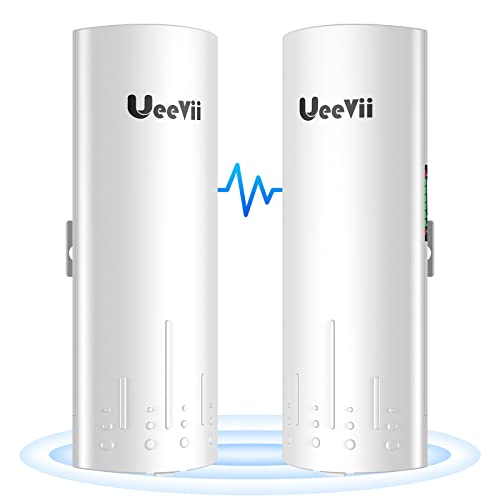
Best for: Buyers who prioritize a pre-paired kit for extending a network to a garage, shop, or barn. UeeVii says the two bridges are configured for point-to-point use before shipping; users connect devices to the master and slave units and provide power. Listed bridge transmission reaches up to 300 Mbps.
The CPE450 has two 10/100Mbps RJ45 ports. To broadcast WiFi at the remote building, the product information says to connect an access point or router to the slave bridge. That makes it suitable for straightforward network extension where a wired connection from the bridge to local WiFi equipment is acceptable.
Limitation: The Ethernet ports support wired speeds up to 100 Mbps, so this is not the best choice if the remote wired connection needs to exceed that port limit.
TP-Link CPE210 2.4GHz Outdoor CPE
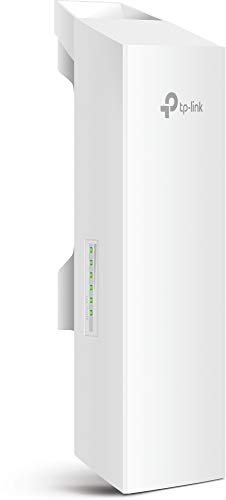
Best for: Users specifically looking for a 2.4GHz directional CPE for paired point-to-point or point-to-multipoint transmission. The CPE210 includes a built-in 9dBi 2×2 dual-polarized directional MIMO antenna and adjustable transmission power from 0 to 27dBm.
TP-Link lists system-level optimizations for transmission beyond 5 km when the device is deployed in a paired point-to-point or point-to-multipoint setup. Its adjustable power can help installers tailor the radio setting to the deployment rather than assuming one fixed output.
Limitation: This is a 2.4GHz model, not a 5GHz bridge. Choose it only if its band and paired deployment approach fit the site and network requirements.
Buying Guide: How To Choose A Point-To-Point WiFi Antenna
How far does the wireless link need to reach?
Start by measuring the distance between buildings and checking whether the antennas can face each other with a clear line of sight. Product range figures are maximum claims, not universal guarantees. Trees, buildings, terrain, antenna alignment, and local radio conditions can affect the actual link. Tenda lists up to 5 km, while AdaLov lists up to 3 km with clear line of sight.
What speed will the remote building actually need?
Compare wireless link rates with Ethernet port limits. A bridge’s advertised wireless rate does not necessarily equal the speed available to a wired device. For example, the UeeVii CPE450 lists up to 300 Mbps bridge transmission but its Ethernet ports are 10/100Mbps. Consider the intended workload, such as camera feeds, browsing, or file transfers, before selecting a model.
Do you need 2.4GHz or 5GHz?
The listed models include 2.4GHz and 5GHz-band options. Check which frequency the product uses and whether it suits your network plan and site conditions. Do not assume that a higher stated rate alone determines which band will work best at a particular property.
How will you power and manage the bridge?
Confirm the required PoE type, voltage, port, and cable arrangement before installation. AdaLov specifies different PoE requirements for its two ports, so using the wrong port can cause damage. For network oversight, Omada’s cloud management may suit buyers who want centralized administration. Pre-configured kits can reduce setup steps, but still require correct placement and power.
Frequently Asked Questions
What is a point-to-point WiFi antenna used for?
It creates a wireless network link between two locations, such as a house and a detached garage, without running Ethernet cable between the buildings.
Do point-to-point WiFi bridges need line of sight?
Long-range links generally work best with a clear path between the units. AdaLov specifically lists its 3 km range for clear line-of-sight use.
Can a bridge provide WiFi inside the second building?
A bridge can carry the network to the remote building. Some setups also need a separate router or access point to provide local WiFi; UeeVii describes connecting one to its slave bridge.
Is wireless speed the same as Ethernet speed?
No. The wireless link rate and Ethernet port speed are separate limits. Check both specifications, especially if devices at the remote location connect by cable.
Should I choose a pre-configured kit?
A pre-configured pair can simplify initial setup. UeeVii and TP-Link describe pre-paired or auto-pairing features, but installation still requires suitable placement, power, and network connections.