As PCIe Gen 3 drives reach the end of their peak novelty, they still offer excellent value for upgrade projects, including laptops and desktops with older interfaces. This guide evaluates five solid PCIe Gen 3 NVMe SSD options, highlighting performance, endurance, and power considerations. Use this overview to pick drives that balance speed, capacity, and cost for everyday tasks, gaming, and content work.
| Product | Brand | Cap. (TB) | Gen | Key Benefit |
|---|---|---|---|---|
| KOOTION 1TB NVMe Internal SSD | KOOTION | 1 | Gen 3 | Up to 3500/3000 MB/s speeds |
| Silicon Power 1TB NVMe SSD | SP Silicon Power | 1 | Gen 3 | 2,200/1,600 MB/s read/write |
| Patriot Memory P300 1TB | Patriot Memory | 1 | Gen 3 | End-to-end protection and ECC |
| Patriot Memory P320 256GB | Patriot Memory | 0.256 | Gen 3 | Compact capacity, NVMe 1.3, ECC features |
| RONGSHU RP3500 256GB | RONGSHU | 0.256 | Gen 3 | Up to 3000/1500 MB/s, advanced caching |
Note: The five selections prioritize Gen 3 interfaces, balanced capacities, and representative feature sets across brands. All models listed here use M.2 form factors where applicable and include a mix of DRAM/NAND technologies suitable for everyday tasks and moderate workloads.
KOOTION 1TB NVMe Gen3x4 M.2 SSD
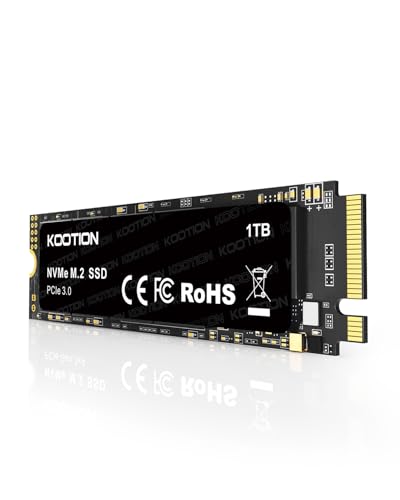
The KOOTION drive applies PCIe 3.0 x4 to deliver sequential read speeds up to 3500 MB/s and write speeds up to 3000 MB/s, enabling faster boot, file transfers, and startup times. It leverages 3D NAND technology for improved longevity and efficiency, making it suitable for gaming, productivity, and media editing on compatible laptops or desktops. The drive’s Gen3 interface is compatible with most current M.2 slots, though it is best matched to systems that can consistently sustain high sequential throughput.
Silicon Power 1TB NVMe SSD PCIe Gen3x4

The Silicon Power SP001TBP34A60M28 uses a Gen3x4 interface with read speeds up to 2,200 MB/s and write speeds up to 1,600 MB/s. It employs 3D NAND flash and a warranty structure keyed to TBW or time, providing a reliable solution for system upgrades and data-heavy tasks. This SSD suits users seeking solid all-around performance for everyday computing, light content creation, and rapid program loading on older or budget-oriented laptops and desktops.
Patriot P300 M.2 PCIe Gen 3×4 1TB

The Patriot P300 1TB model features end-to-end data path protection, SmartECC, and thermal throttling to regulate performance under load. It supports LDPC and NANDXtend ECC to extend NAND flash lifespan. This makes it a practical option for users seeking a balance of performance, data integrity, and thermal management in gaming rigs or workstations where PCIe Gen3 is a constraint.
Patriot Memory P320 1TB NVMe PCIe Gen 3×4

The P320 1TB model from Patriot Memory uses a Gen3 x4 interface with Read up to 3000 MB/s and Write up to 2200 MB/s, delivering solid performance for OS, applications, and gaming. It employs a modern PCIe Gen3 controller to optimize efficiency and responsiveness in systems that do not support Gen4 speeds, making it a dependable option for a broad range of PCIe Gen3 builds.
RONGSHU RP3500 256GB NVMe M.2 PCIe Gen3x4
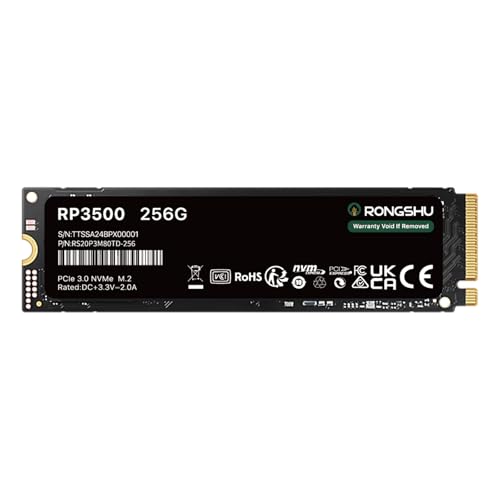
The RP3500 from RONGSHU delivers up to 3000 MB/s read and 1500 MB/s write speeds with a Gen3x4 interface. It uses intelligent SLC caching to improve data transfer performance and 3D NAND TLC technology for greater endurance compared with older flash. It is a compact option for smaller laptops or budget desktops that still require faster-than-SATA performance.
Buying Guide: Key Considerations For Gen 3 PCIe NVMe SSDs
When choosing a PCIe Gen 3 NVMe SSD, several factors influence real-world performance and reliability. Consider these angles to align your pick with your system and usage patterns.
- Interface and form factor: Gen3 x4 is the typical high-speed Gen3 interface. Most M.2 2280 drives fit into modern laptops and desktops, but verify your motherboard or laptop’s supported form factor and slot type before purchasing.
- Sequential speed versus real-world performance: Drive advertised speeds often focus on sequential performance. For everyday tasks, random 4K performance and queue depth handling can matter more for responsiveness in OS and apps.
- Endurance and warranty: TBW (terabytes written) and warranty terms impact long-term reliability, especially for heavy workloads like video editing or frequent large file transfers. ECC and data protection features add resilience.
- Thermal management: Gen3 drives can throttle when temperatures rise. Heatsinks, proper airflow, or laptop design that supports cooling can help maintain sustained performance.
- Capacity planning: Balance price per gigabyte with your storage needs. For OS and apps, a 500GB–1TB range is common; 256GB may be adequate for light use, but plan for space with data growth in mind.
- DRAM cache and NAND type: DRAMless designs save cost but may show higher latency under heavy workloads. 3D TLC NAND provides a good compromise of cost and longevity for mainstream usage.
- Power consumption: Some Gen3 drives are optimized for lower idle power, which can be beneficial for laptops on battery life or portable devices.
- Compatibility check: Ensure firmware and BIOS support are current, and confirm the drive is listed as compatible with your system by the manufacturer or motherboard vendor.
The selections above highlight a range of Gen3 options with varying capacities and features. For users upgrading older laptops or desktops that still rely on PCIe Gen3, these drives offer tangible improvements in boot times, program launches, and file transfers without requiring Gen4-enabled hardware.