Choosing the right internal hard drive can boost storage, performance, and overall system reliability. This guide highlights five reliable desktop HDDs suitable for everyday computing, gaming, media editing, and expanding PC storage. Each option blends capacity, speed, and durability to fit common desktop builds.
| Product | Brand | Capacity | RPM | Notes |
|---|---|---|---|---|
| Seagate BarraCuda 8 TB Internal HDD | Seagate | 8 TB | 5400 | High capacity for media libraries and backups |
| Seagate BarraCuda 2 TB Internal HDD | Seagate | 2 TB | 7200 | Balanced performance and capacity |
| Western Digital 4 TB WD Blue | Western Digital | 4 TB | 5400 | Reliable everyday computing |
| Seagate BarraCuda 4 TB Internal HDD | Seagate | 4 TB | 5400 | Versatile desktop storage |
| Western Digital 2 TB WD Blue | Western Digital | 2 TB | 7200 | Quick access for common tasks |
style=”font-size:0; line-height:0; height:0; margin:0; padding:0;”>
Seagate BarraCuda 8 TB Internal Hard Drive HDD – 3.5 Inch SATA 6 Gb/s

Store more, compute faster, and rely on BarraCuda’s proven reliability for desktop systems. This drive supports high-capacity storage across various PC applications—from music and photos to video editing and gaming. With a sustained transfer rate around 190 MB/s, it provides steady performance for everyday tasks and large backups. Its 3.5-inch form factor fits most standard desktop towers, and SATA 6 Gb/s interfaces deliver broad compatibility with modern motherboards.
Key features include: large capacity for media libraries, reliable BarraCuda lineage, and versatile form factors suitable for gaming rigs or general desktop setups. The drive is designed for long-term use in typical home and office environments, with enough cache to smooth out bursts during large copy operations.
Additional considerations
- Ideal for extending storage on a budget while preserving performance for large-file workflows.
- Consider pairing with SSD cache or NVMe for the OS drive to maximize responsiveness.
Seagate BarraCuda 2TB Internal Hard Drive HDD – 3.5 Inch SATA 6Gb/s 7200 RPM

The BarraCuda 2TB model blends speed and capacity with 7200 RPM for quick access to frequently used files and applications. It supports data migration with Seagate DiscWizard software and is suitable for building a strong desktop gaming or productivity rig. It’s part of Seagate’s flagship BarraCuda line, designed for a wide range of PC workloads, from multimedia editing to system backups.
Highlights include easy data migration workflows, robust reliability, and a broad range of capacities and form factors. The 2TB option serves as a balanced upgrade for systems needing more headroom without sacrificing responsiveness.
Key considerations
- Useful as a primary HDD for OS-agnostic secondary storage or as a high-velocity mass storage.
- Compatible with most desktops via SATA 6 Gb/s interface.
Western Digital 4TB WD Blue PC Internal Hard Drive HDD

The WD Blue 4TB drive targets reliable, everyday computing with a 3.5-inch form factor and SATA 6 Gb/s interface. It includes 256 MB of cache to help accelerate common tasks and support a smooth multitasking experience. WD Blue drives are known for quality and consistency, and this model is backed by WD’s reputation for dependable storage solutions.
Considerations include a balance between capacity and power consumption, along with the bundled Acronis True Image WD Edition cloning software, which facilitates OS and data migration for new drives. This makes it a solid choice for classroom, home, or small office setups needing dependable storage expansion.
Seagate BarraCuda 4TB Internal Hard Drive HDD – 3.5 Inch SATA 6 Gb/s 5400 RPM
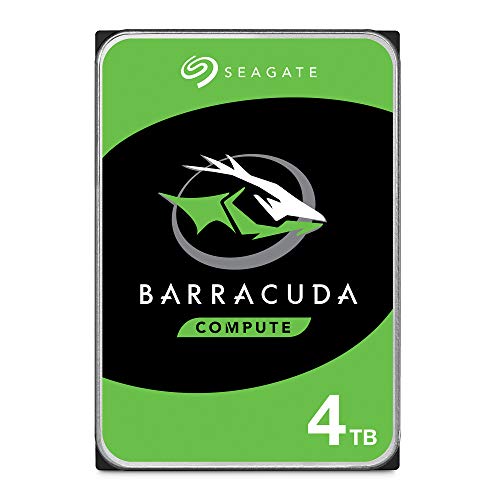
This BarraCuda model provides a 4TB capacity with a 5400 RPM rotation speed, aimed at typical desktop setups that prioritize quiet operation and energy efficiency alongside ample space for media libraries and software. It’s positioned as a versatile drive for a broad spectrum of PC applications, including gaming, media editing, and general multitasking.
Features emphasize straightforward storage expansion and compatibility with a wide range of PC configurations. The drive is a practical choice for users who want reliable, everyday performance without high power demands.
Practical considerations
- Ideal for builds where power efficiency and quiet operation matter.
- Good fit for secondary storage or budget-friendly system upgrades.
Western Digital 2TB WD Blue PC Internal Hard Drive HDD

The WD Blue 2TB drive combines a 7200 RPM class performance with solid reliability for everyday computing. It’s a practical option for users who need faster data access than a 5400 RPM drive with a modest capacity increase. The drive supports cloning software and is suitable for upgrading a PC’s primary or secondary storage with dependable performance.
Key points include compatibility with common desktop setups, steady performance for multitasking, and the benefit of WD’s cloning software to simplify migration tasks. This makes it a straightforward choice for upgrading an existing PC or building a new workstation with robust storage options.
Buying Guide: Key Purchase Considerations
- Storage capacity vs. drive speed: Higher RPM yields faster random access, but can raise power draw and heat. For mass storage, higher capacity often matters more than speed.
- Cache size: Larger caches can improve burst performance during file transfers and boot-heavy tasks. Typical ranges are 64–256 MB for consumer HDDs.
- Reliability and warranty: Look for drives with solid reliability records and warranty coverage that aligns with your project timeline and data importance.
- Interface and compatibility: Most consumer desktop HDDs use SATA 6 Gb/s. Ensure your motherboard has available SATA ports and adequate power supply capacity.
- Use case planning: Separate OS and data drives can improve system responsiveness; consider pairing a smaller, faster drive with a larger HDD for bulk storage.
- Noise and power: 5400 RPM drives tend to run quieter and cooler than 7200 RPM models, which can be beneficial in quiet workspaces or home theaters.
- Cloning and data migration: Some drives ship with cloning software, simplifying data transfer from older drives to new ones.
- Warranty and after-sales support: Check the inclusion of diagnostic tools and customer support quality when choosing a vendor.