Choosing the right A4 color laser printer can streamline everyday office tasks, from colorful reports to sharp marketing materials. This guide highlights five top-performing models, balancing speed, color quality, connectivity, and paper capacity. Each option offers essential features for small teams and home offices that print, scan, and copy with reliability. The selections here emphasize versatility, user-friendly setup, and strong total cost of ownership.
| Product | Brand | Typical Use |
|---|---|---|
| HP Color LaserJet Pro MFP 3301sdw | HP | Small teams, professional color documents |
| Xerox C235dni | Xerox | Home offices and small businesses |
| Brother MFC-L3720CDW | Brother | Office printing with scanning and fax |
| Canon Color imageCLASS MF652Cw | Canon | Mobile-ready color multifunction |
| Brother HL-L3220CDW | Brother | Color printing with wireless convenience |
HP Color LaserJet Pro MFP 3301sdw

HP’s Color LaserJet Pro 3301sdw combines printing, scanning, copy, and fax with wireless networking. It delivers up to 26 pages per minute in color or black, helping teams move quickly through reports and presentations. TerraJet toner provides vivid color and professional results, while original HP 218A/218X cartridges help maintain print quality and reliability.
Xerox C235dni Wireless Printer

The Xerox C235dni is a compact all-in-one color printer ideal for small to medium offices. It prints up to 22 ppm in color and black, supports automatic two-sided printing, and has a 250-sheet paper capacity. The Easy Assist App simplifies setup and ongoing support, while built-in Wi-Fi with AirPrint and Mopria keeps devices connected effortlessly.
Brother MFC-L3720CDW

This Brother color laser all-in-one handles printing, scanning, and copying with a built-in fax option. It offers up to 19 ppm color output and robust connectivity through dual-band Wi-Fi, Wi-Fi Direct, and USB 2.0. A 50-sheet auto document feeder and a 250-sheet tray support efficient multi-page tasks and small-to-medium workloads.
Canon Color imageCLASS MF652Cw

Canon’s MF652Cw is a wireless color multifunction printer designed for mobile-first environments. It prints up to 22 pages per minute and uses Canon Genuine Toner 067. The unit emphasizes quick first-page-out and compatibility with mobile printing options, making it suitable for teams needing reliable color output on demand.
Uinkit 200 Sheets Transparency Film

For teams that need overhead projection materials, Uinkit offers transparent film compatible with laser printers. The 200-sheet pack provides bulk value for batch presentations or training sessions, with 4 mil PET thickness for clear, high-quality visuals.
Uinkit 20 Sheets Transparency Film
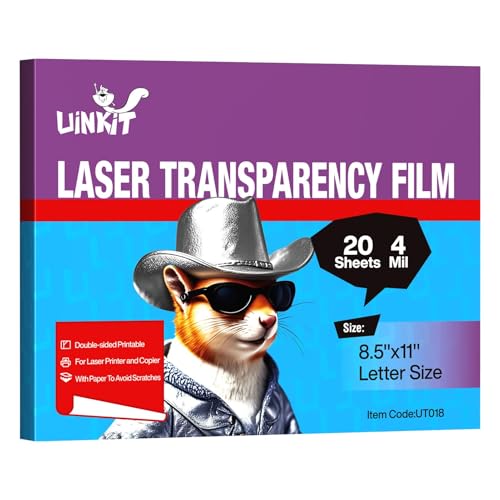
This smaller pack mirrors the larger option, ideal for quick, on-demand presentations. The film is designed for laser printers and copiers, offering clear results with proper transparency settings during printing.
HP A4 120 gsm Colour Laser Paper

HP’s A4 120 gsm color laser paper is a suitable companion for color documents. The 250-sheet pack provides a reliable option for high-volume color printing, ensuring consistent paper quality for reports and presentations.
Buying Guide: Key Considerations When Choosing an A4 Color Laser Printer
- Printing speed and color quality: Look for ppm rates in color and black, and color accuracy for graphics-heavy documents.
- Multifunction capabilities: Consider whether you need scanning, copying, faxing, or mobile printing alongside color output.
- Paper handling: Check the standard paper tray capacity and whether you need an optional second tray for higher volumes.
- Connectivity: Ensure the printer supports Wi-Fi, Ethernet, USB, and mobile printing standards like AirPrint or Mopria.
- Maintenance and costs: Evaluate toner yield (standard vs high-yield) and the availability/cost of replacement cartridges.
- Ease of setup: A printer with a guided setup app and straightforward software is beneficial for smaller teams.
- Security features: Look for user authentication, secure printing, and encrypted connections if handling sensitive documents.
- Warranty and support: A longer warranty and easy access to support can reduce downtime in busy offices.
- Security and eco-friendliness: Consider cartridges designed for efficient waste reduction and energy-saving modes.
- Size and footprint: Ensure the device fits your workspace while still delivering the required paper capacity.
Overall, selecting a color laser printer for an A4 workflow involves balancing print speed, color fidelity, and total cost of ownership. The models covered here offer a range of features—from compact, office-ready multi-function printers to devices with strong connectivity and scalable paper handling—so you can align capabilities with daily tasks and team size.