This guide highlights 4TB hard disk drives (HDDs) that balance capacity, reliability, and value for everyday storage needs. It covers external drives for on‑the‑go backups and internal drives for desktops and NAS setups. Each pick emphasizes compatibility, performance, and longevity to help you choose the right 4TB HDD for your workflow.
Quick Product Snapshot
| Product | Type | Interface / Form | Key Benefit |
|---|---|---|---|
| Seagate Portable 4TB External HDD | External | USB 3.0 | Portable, plug‑and‑play backup |
| WD 4TB Elements Portable External HDD | External | USB 3.0/3.2 Gen 1 | Low‑profile, high capacity on the go |
| Toshiba Canvio Basics 4TB | External | USB 3.0 | Simple plug‑and‑play storage |
| WD 4TB WD Red Plus NAS Internal HDD | Internal | SATA 6 Gb/s | Reliable NAS‑grade performance |
| Seagate BarraCuda 4TB Internal HDD | Internal | SATA 6 Gb/s | Versatile desktop storage |
Seagate Portable 4TB External HDD

The Seagate Portable Drive provides a simple way to expand storage for a PC, Mac, Xbox, or PlayStation. With 4TB of capacity, it supports drag‑and‑drop backups and quick access to media libraries on the go. Designed for Windows and Mac, it requires no software installation for setup, making it a convenient plug‑and‑play option for travelers and home users alike. Its compact design emphasizes portability without sacrificing capacity.
Features include automatic recognition when connected to a computer and a 1‑year Rescue Service option bundled with select SKUs, delivering peace of mind for accidental data loss. The USB 3.0 interface balances broad compatibility with solid transfer speeds for daily backups, media storage, and game libraries. This drive is ideal for users seeking a straightforward external HDD for multi‑device use.
WD 4TB Elements Portable External HDD

Western Digital’s Elements Portable drives combine compact size with high capacity, offering up to 6TB in a very lightweight enclosure. The 4TB model is a popular choice for travelers and students who need reliable, plug‑and‑play storage for photos, videos, and documents. The drive is designed for easy compatibility with Windows and Mac systems via USB connections, and it supports straightforward drag‑and‑drop backup workflows. The portability and simple setup make it a solid 4TB external option for on‑the‑go storage needs.
Toshiba Canvio Basics 4TB
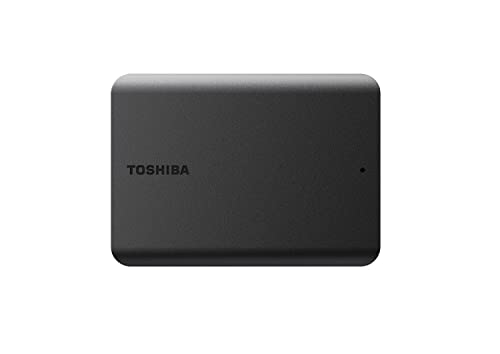
The Toshiba Canvio Basics 4TB offer a sleek, matte finish with a compact footprint and a smudge‑resistant surface. It is a plug‑and‑play device with no software required, making it easy to add more storage to a PC or compatible devices. Users can rely on its straightforward setup for backing up files, archiving media libraries, or expanding workspace capacity. Its simple design makes it a suitable choice for those who want a dependable external HDD without extra features or complexity.
WD Red Plus 4TB NAS Internal HDD

WD Red Plus NAS drives are designed for network storage solutions with reliability and NASware firmware for compatibility. The 4TB model suits home offices or small businesses running 24/7 NAS environments, providing steady workloads and a balance of performance and endurance. Ideal for RAID setups and media servers, the WD Red Plus line is known for stable operation and compatibility with multi‑bay NAS enclosures. This drive is a practical choice for expanding a NAS or replacing aging internal drives in a storage array.
Seagate BarraCuda 4TB Internal HDD
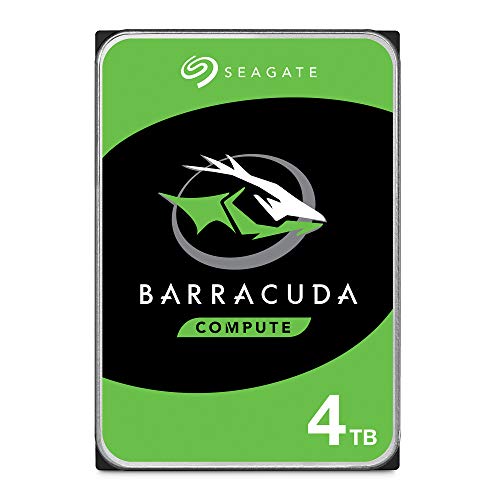
Seagate BarraCuda 4TB is a versatile internal hard drive suitable for desktop PCs. It emphasizes reliability and broad compatibility for a wide range of applications, from multimedia editing to everyday computing. The drive supports SATA 6 Gb/s interfaces and offers ample cache to improve sustained transfers. It is a solid option when building or upgrading a desktop system, providing a balance of capacity, speed, and compatibility with multiple PCIe or SATA configurations.
Buying Guide: Key Considerations For 4TB HDDs
- Type and use case: External drives are portable and plug‑and‑play, ideal for backups and media libraries; internal drives are suited for desktops and NAS systems requiring ongoing data access.
- Interface: USB 3.0/3.2 Gen 1 external drives deliver broad compatibility and decent speeds; internal drives use SATA 6 Gb/s for desktop and NAS setups.
- Reliability and workload: NAS‑grade drives (like WD Red Plus) are designed for continuous operation and multi‑user access; consumer drives suit general use but may not be ideal for 24/7 workloads.
- Form factor and portability: External HDDs balance capacity with portability; internal 3.5″ drives maximize storage inside desktops orNAS enclosures.
- Warranty and support: Look for drives with robust warranties and comprehensive recovery or data protection options where available.
- Special features: Some models offer rugged housing, heat dissipation designs, or firmware tuned for NAS environments; consider these based on your setup.
- Future expansion: If you anticipate growing storage needs, plan for drives that fit into a NAS or desktop upgrade path with similar interfaces and capabilities.
When selecting a 4TB HDD, align the choice with your primary use case: portable backups and media libraries on external drives, or long‑term, reliable storage inside desktops and NAS systems. The options listed provide a mix of portability, reliability, and capacity to support a wide range of projects and media libraries across Windows, Mac, and NAS environments.